New agencies
Start with the system you won’t outgrow.
Opening an agency is hard enough without stitching together five tools. Mint gives you clients, quoting, messaging, a website, payments and reports in one place, and walks you through setting it up.
Screens show sample data.
Welcome to Mint, Laura
Let’s get Rio Grande Insurance ready. Skip anything and come back to it later.
- Agency profileName, phone and address
- Logo and brand colorShown across Mint and your emails
- Your team2 people invited
- Your carriers6 carriers added
- Bring your bookUpload the export from your current systemNext
- Your first clientOr skip it if your book is on the waySkip for now
Where most agencies start
Every agency starts with workarounds.
That isn’t a mistake. It’s what you use before you have a system. The trouble is that workarounds quietly become the way the agency works.
Starting out, usually
Starting on Mint
Starting out, usually
A spreadsheet, a calendar, a texting app, a shared inbox and a portal for every carrier.
Starting on Mint
One system from the first client.
The client, the policy, the payment, the message and the task live on the same record.
Starting out, usually
The process lives in the owner’s head.
Starting on Mint
A process from day one.
Tasks with an owner and a due date, and a pipeline for every quote still in play.
Starting out, usually
The website is a brochure, and quote requests arrive as emails to retype.
Starting on Mint
A website that works with the office.
Quote requests from your site are saved in Mint, not in someone’s inbox.
Starting out, usually
Follow-ups happen when someone remembers.
Starting on Mint
Follow-ups that don’t depend on memory.
Renewal reminders and cancellation notices go out on their own, and overdue work rises to the top.
Starting out, usually
The numbers get rebuilt by hand at the end of the month, if at all.
Starting on Mint
Reports from the first policy.
Premium by carrier, by producer and by line, counted from the work itself.
Your first 30 days
Open the doors. Then build the habits.
The first time the owner signs in, Mint greets them with a short list of setup steps. Each step is the real screen, not a form you fill out twice. Here’s how a first month usually goes.
- 1
Week 1Days 1–7
Set up your agency
Fill in the agency profile, upload your logo and pick your color, invite your team with their roles and add the carriers you write with.
- Agency profile
- Logo and brand color
- Your team
- Your carriers
- 2
Week 2Days 8–14
Bring your book, or start from zero
Upload the export from your current system and the Mint team loads it for you. Starting fresh? Add your first client and go.
- Upload your export
- Your first client
- 3
Week 3Days 15–21
Work the day in Mint
Choose how your email goes out, get your texting number, and let the dashboard put the day in order.
- Mint email or your domain
- Texting number
- Tasks and pipeline
- 4
Week 4Days 22–30
Read your first month
Open Reports and see premium by carrier, by producer and by line. You’re looking at your agency, not rebuilding a spreadsheet.
- Reports
- Commissions by producer
A typical path, not a deadline. Setup never forces a step: skip anything and pick it up later from the dashboard.
Ready on day one
What the first year asks of you, already connected.
You don’t need to know what you’ll need in two years. Start with the basics and the rest is already there, on the same records.
Client management
Households and businesses on one page: policies, vehicles, drivers, documents and every email.
Quoting
In developmentA comparative quoting flow inside the client record, connected to the rating service you already license.
Messaging
Email from Mint or your own domain, and a shared text inbox on a number Mint provides.
Website
A public website with your logo and colors, and a quote request form that saves to Mint.
Payments and fees
Record payments, agency fees and renewal fees on the client and the policy. Card processing through your own processor is planned.
Tasks
Follow-ups with an owner and a due date. Some create themselves, like a policy about to renew.
Automation
Renewal reminders and cancellation notices go out on their own, from your agency’s address.
Documents
Upload a carrier’s PDF once and map its fields. Mint fills it from the client record.
Reports
Premium by carrier, producer, line and status, for this month or the last three.
Training
Guided onboarding and remote training with the Mint team, included.
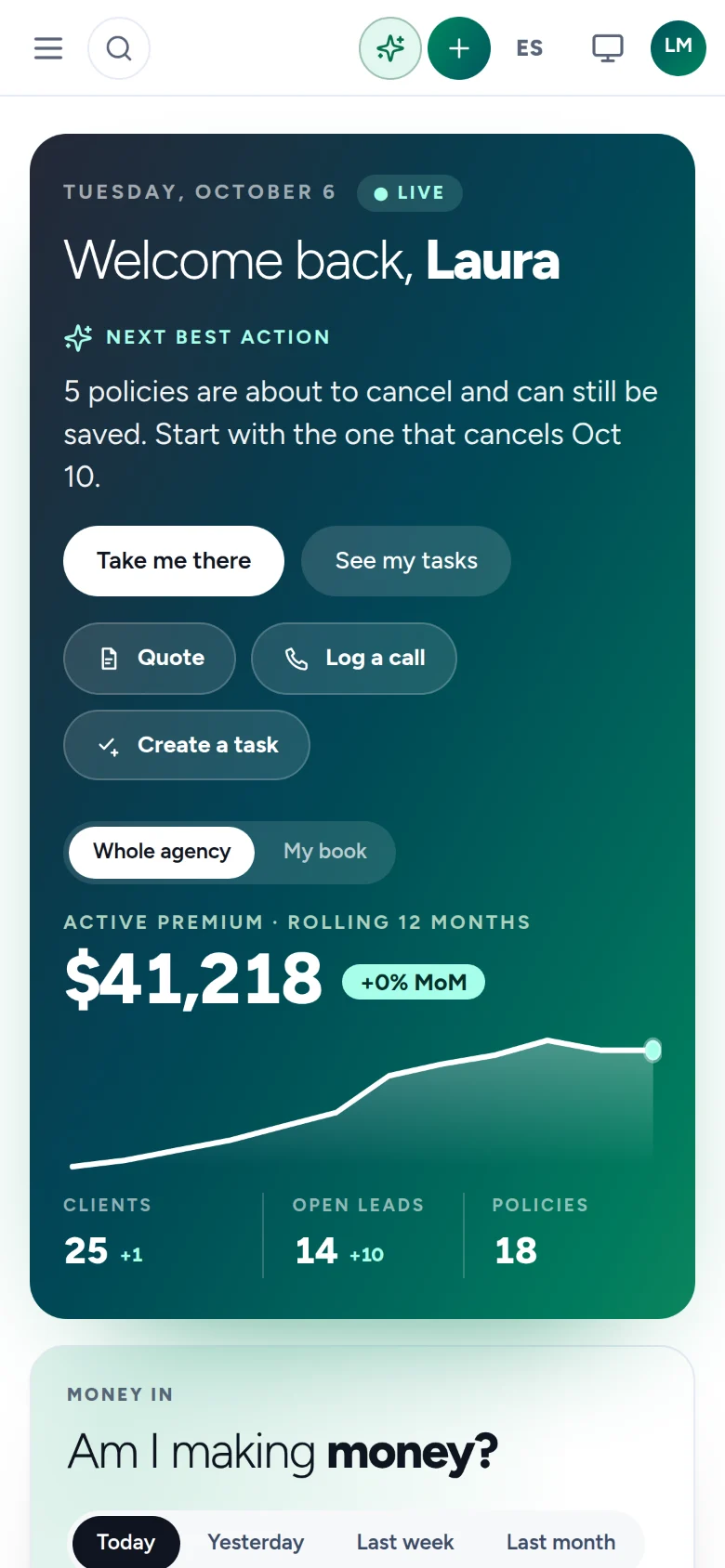
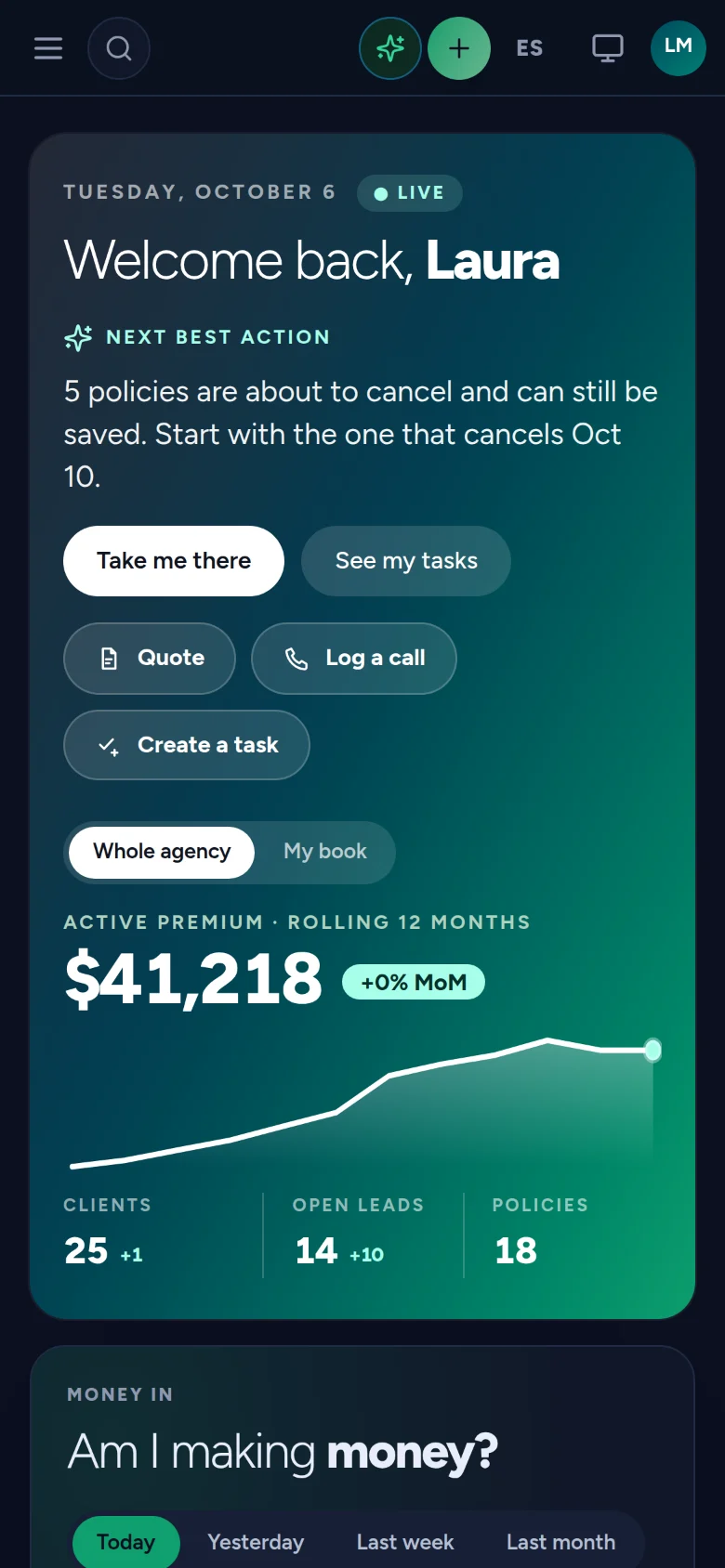
The same Mint on your phone, your tablet and your desk.
Agency website
Your website and your office, one system.
Mint publishes your agency’s website with your logo and your colors. When someone asks for a quote, the request is saved in Mint for your agency, not in an email someone has to retype.
- Home, the lines you sell, a quote request, contact and privacy pages
- Design templates that carry your brand
- Quote requests saved straight to your agency in Mint
Insurance for the Borderland, in English and Spanish.
Training and onboarding
You won’t be figuring it out alone.
A new agency has enough to learn. Setup is guided, training is included, and nothing locks you in.
- 01
A guided start
The owner gets a step-by-step welcome the first time they sign in. Skip a step, finish later, and pick it up from the dashboard.
- 02
Remote training, included
Your team learns Mint from the people who build it. Founding 10 agencies get three training sessions.
- 03
No long-term contract
Stay because it works, not because you signed for years. Founding Agency benefits are limited.
Questions
What new agency owners ask us
We only have a few clients. Is Mint too much for us?
No. Setup shows only the steps your plan includes, and “I work alone” is a real answer to the team step. Use what you need now; the rest is there when you grow.
We don’t have a book to move. Can we start from zero?
Yes. Choose to start from scratch during setup and add your first client. If you have an export from another system later, our team can load it for you.
Do we need our own rater to quote?
Comparative quoting in Mint is in development. Each agency will connect the rating service it already licenses; Mint doesn’t resell access to any rater.
Is there a long-term contract?
No. Mint doesn’t require a long-term contract, and training and guided onboarding are included.
Start the way you mean to grow.
Join early access and set up your agency with the Mint team beside you.